
Record an inventory transaction
Record material receipts, job-site deliveries, project usage, warehouse returns, and other inventory activity using voice commands.
Voice App Workflow
Ask a question. Speak the update. Keep the work moving.
Natural language voice control lets field employees ask business questions, select application functions, and update cloud systems by speaking instead of navigating through multiple mobile screens. See how voice workflows work in real business applications. We use the QR Inventory mobile app to demonstrate natural language information access, voice-driven data entry with real-time updates, and combined voice-and-scanning workflows.
"Replaced pump P-240 at Building 4. Used two flange kits. System is back online."
Mobile voice workflows
Record material receipts, job-site deliveries, project usage, warehouse returns, and other inventory activity using voice commands.
Record tool checkout and check-in, or transfer tools between field technicians, job sites, and service trucks just by speaking.
Say what you need, when, on which job site, and a reason for the request, and have your request instantly routed for review and approval workflow.
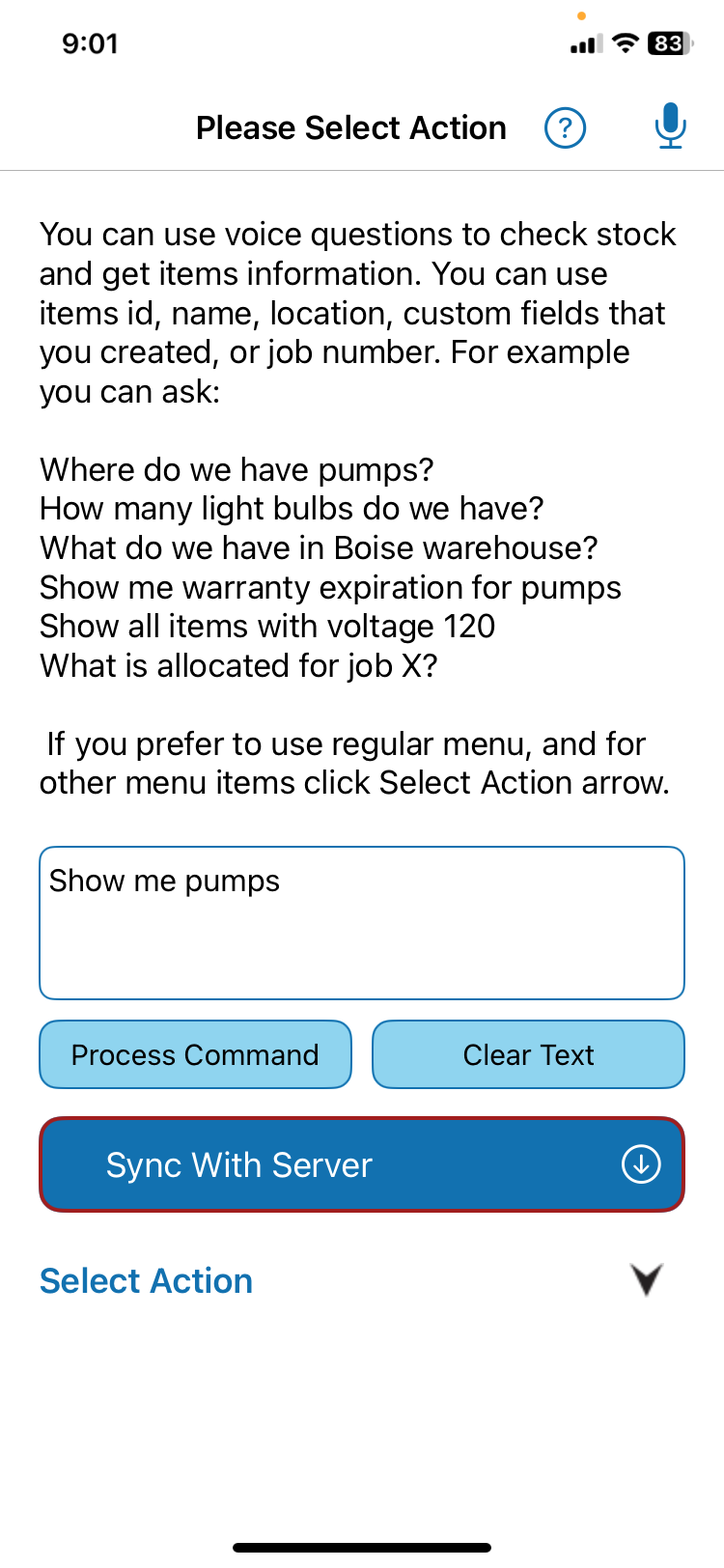
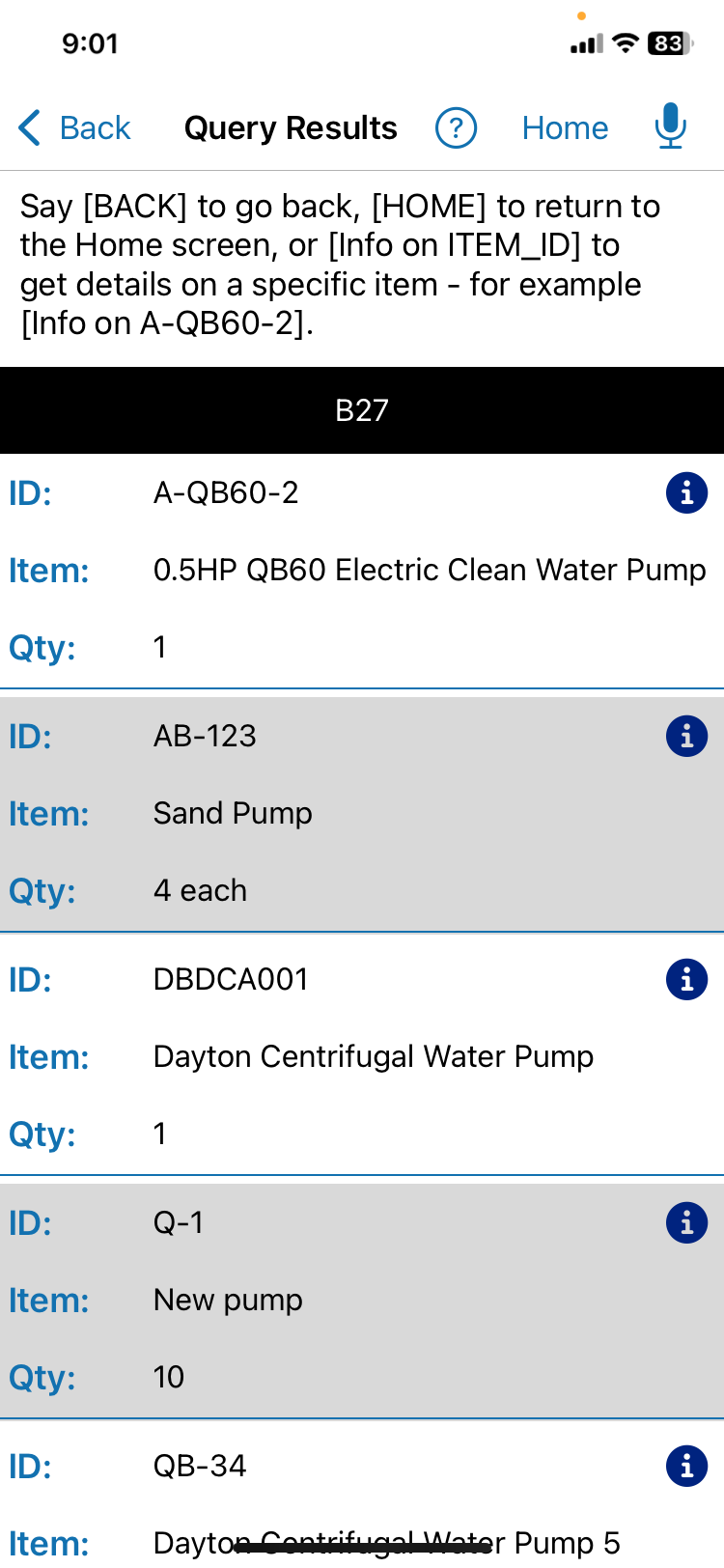
Ask "Where do we have 2-inch PVC pipe?" and receive a list of locations and quantities without any typing.
Say "How many widgets X are allocated to the River Crossing project?" and get an instant response from a backend cloud system.
Say "Show me the operating instructions for the power generator", and get specs and documentation without navigating application screens.
Natural Language Queries
Field employees often need quick answers while they are moving between job sites, handling equipment, or working away from a computer. Natural language queries let them access information they need hands-free, by simply asking for it.
For example, a user can ask:
The application captures the voice question, parses it to extract structured data, sends a structured request to the backend software, and presents the returned data to the user.
Real-Time Updates
A question retrieves information. Field data entry and transactions change business data.
Besides information access, voice control can also be used for hands-free field data entry and real-time updates. In the QR Inventory mobile app, users can process an entire inventory transaction by speaking instead of tapping through the application screens.
Voice-controlled data entry allows field users submit updates as they happen while they continue their work, ensuring that updates are submitted in real time and are not delayed until later.
Example Of Actual Voice Commands:
The Result: The transaction is recorded in the centralized cloud system, and the corresponding inventory records are updated in real time.
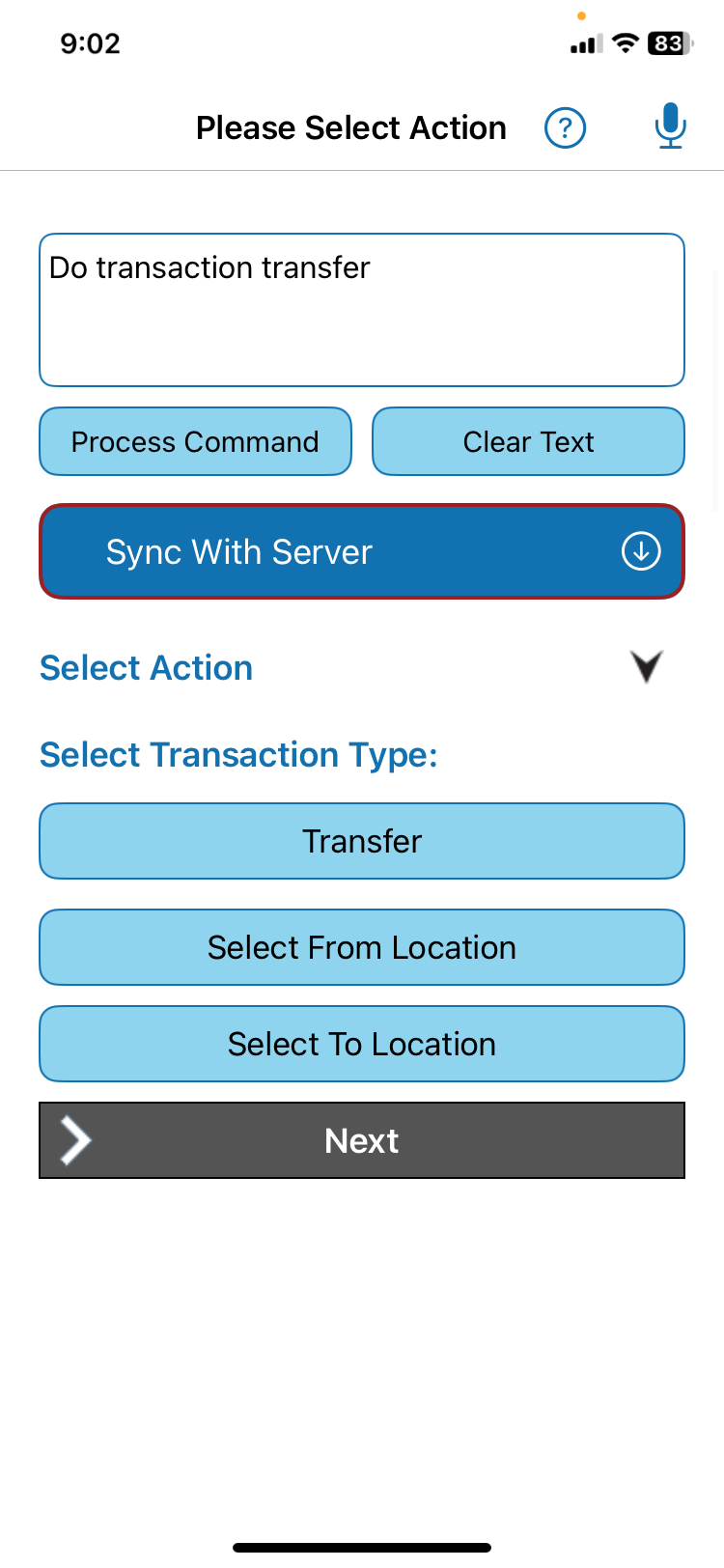
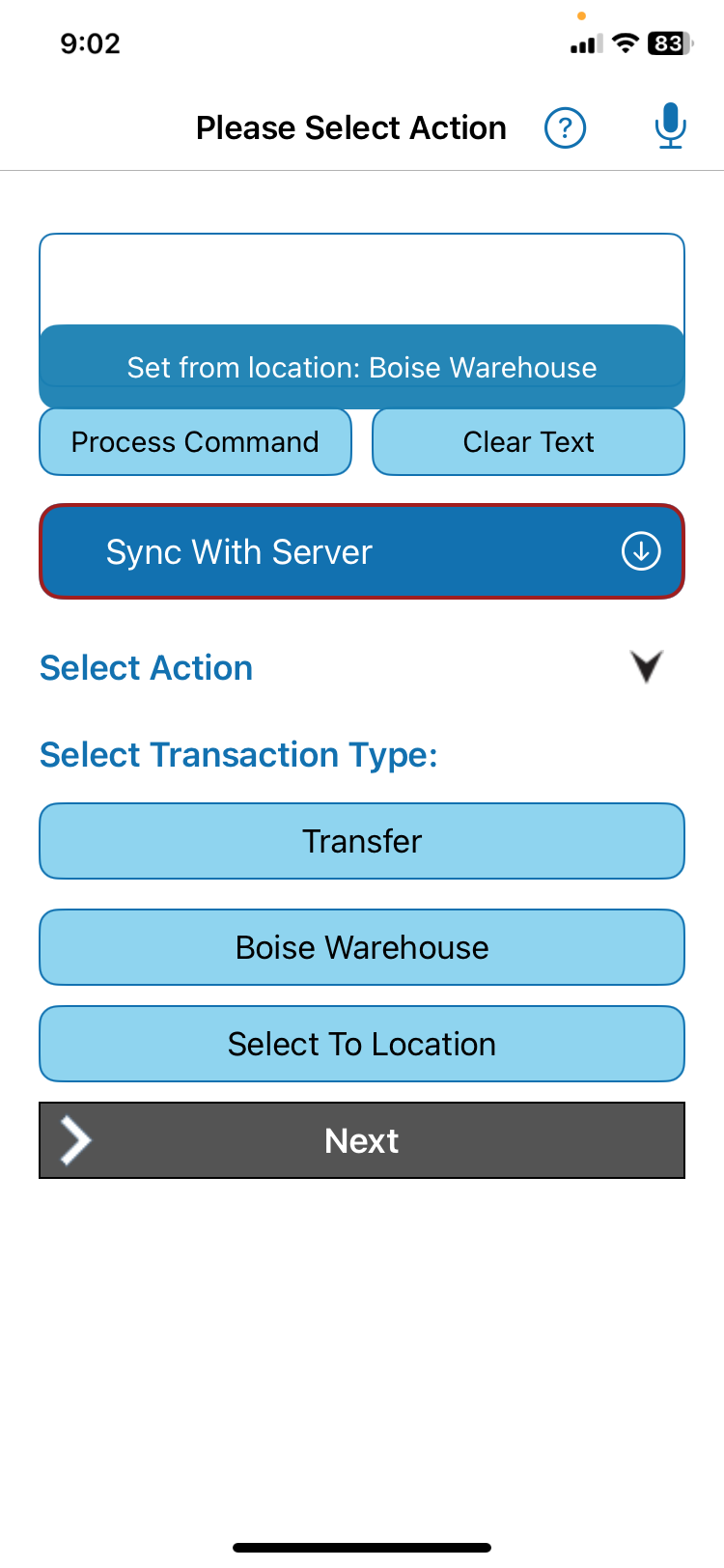
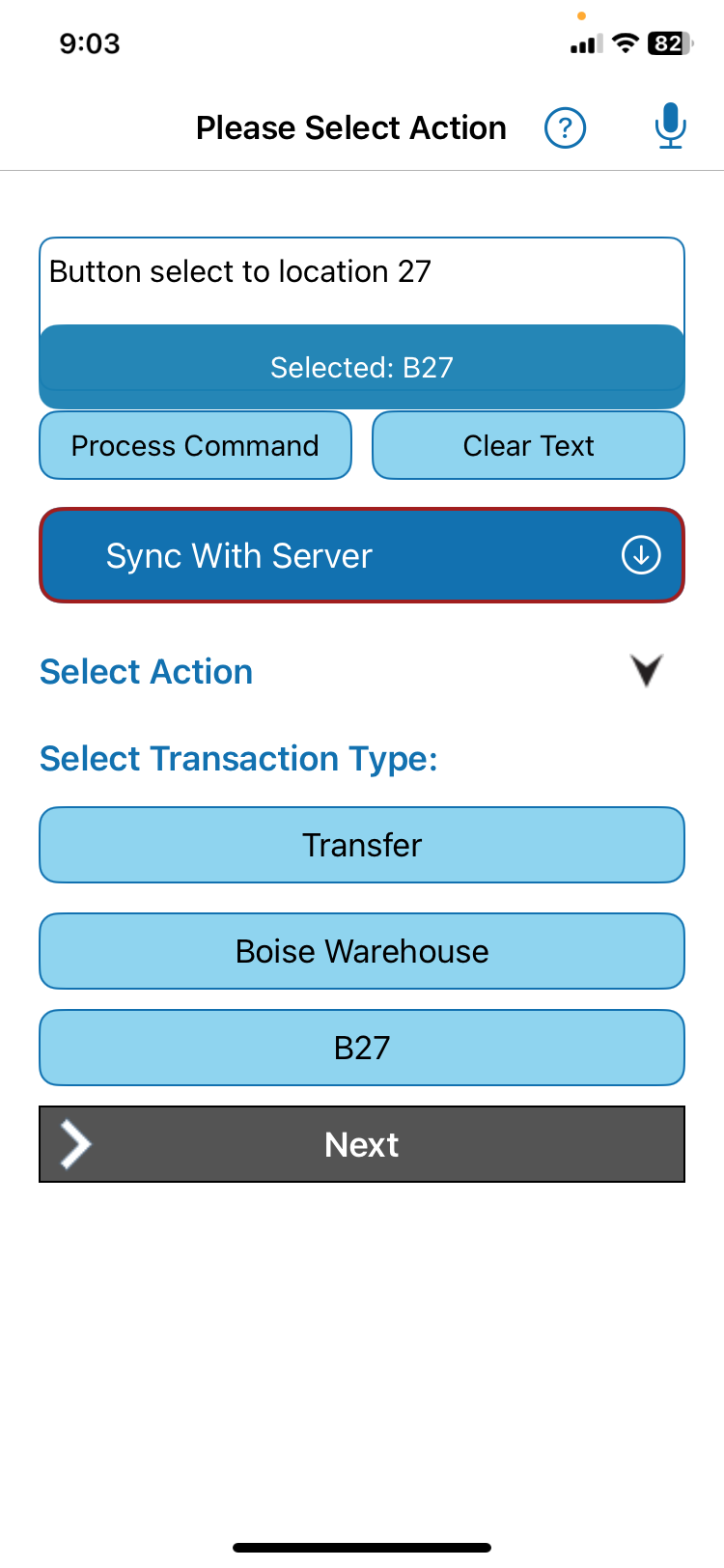
See how the QR Inventory mobile app lets employees complete inventory transactions using voice commands.
Instead of navigating the mobile app screens, users can speak naturally to start a transaction, choose locations, add items, specify quantities, specify additional data, and confirm the transaction.
The Result: In this video, a complex inventory transaction with multiple items and additional data is completed in just 1.5 minutes, all while the employee keeps their hands free for the actual work.
By eliminating the frustration of manual entries, a voice-driven mobile app significantly increases user adoption and keeps your team focused on the job at hand.
Voice Plus Scanning
Voice handles workflow and context. QR code / barcode scanning quickly identifies physical items.
Voice works well for telling the application what transaction you are performing, which locations or projects are involved, and for entering additional information such as condition, status, or notes. It is less practical for identifying individual inventory items: an item ID such as PG-104-X75 can be difficult for speech recognition to interpret perfectly, and reading dozens or hundreds of item IDs aloud would be inefficient. QR code or barcode scanning solves that problem by identifying each physical item accurately, while continuous batch scanning can add many items to a transaction in seconds.
Combining voice control with scanning lets employees use voice for workflow and context, while using scanning for fast and reliable item identification.
The Result: Truck restocking involving 25 inventory SKUs is submitted in seconds.
Navigate through screens and perform actions using voice commands:
Behind the voice workflow
Voice control does not require a separate business system. The mobile app serves as a voice AI layer on top of your existing software. It captures and interprets the spoken request, converts it into structured data, and uses the application's existing cloud connection and backend logic to retrieve information or record an update in the cloud system you are using.
Practical voice implementation lessons
Incorporating voice control into the business mobile apps showed that the most effective workflows do not try to replace every screen interaction. It is more efficient to use voice where natural language is faster and easier, while keeping scanning and touch controls where those methods work better.
Use voice for transaction type, project, location, status, notes, and navigation where speaking is faster than tapping through application screens.
Use QR code or barcode scanning when item IDs are difficult to pronounce or when many physical items need to be captured quickly and accurately.
Convert natural speech into validated fields and parameters that the existing business application can process, rather than simply storing a voice transcript.
Let users combine voice with scanning, touch controls, review screens, and existing business rules instead of forcing every interaction through voice.
Voice Apps Q&A
Natural language voice control allows a user to speak a request in natural language instead of navigating through application screens. The application interprets the user's intent, extracts the required details, and can confirm the interpreted request with the user. The app then creates a structured JSON payload for the information update or data request, and sends it to a backend system through an API. Once a response is received, the app parses the returned data and displays it to the user - it could be either a confirmation of an update or requested business information.
Voice input can be processed by an on-device SLM (small language model) or a cloud LLM (large language model) to extract structured data from natural speech. Once the extracted data is confirmed by the user, the application creates a structured JSON payload and sends it to the backend cloud system through an API to update the appropriate records.
A voice-enabled mobile application interprets a spoken question using an on-device or cloud AI model and converts the request into a structured query that is sent to a backend system. The backend returns structured data, such as a JSON response, which the application parses and presents to the user.
Yes. Voice and scanning can handle different parts of the same workflow. Users can fill out mobile app forms and select information with voice commands, while QR code or barcode scanning quickly identifies physical items. This combination is used in the QR Inventory mobile app, where users can move through inventory transaction steps with voice commands while using rapid batch QR code scanning to add multiple items to the transaction.
Related Voice AI Resources
Start with one field task
Show us the spoken request, the records it needs, the rules it must pass, and what the software should do next.