
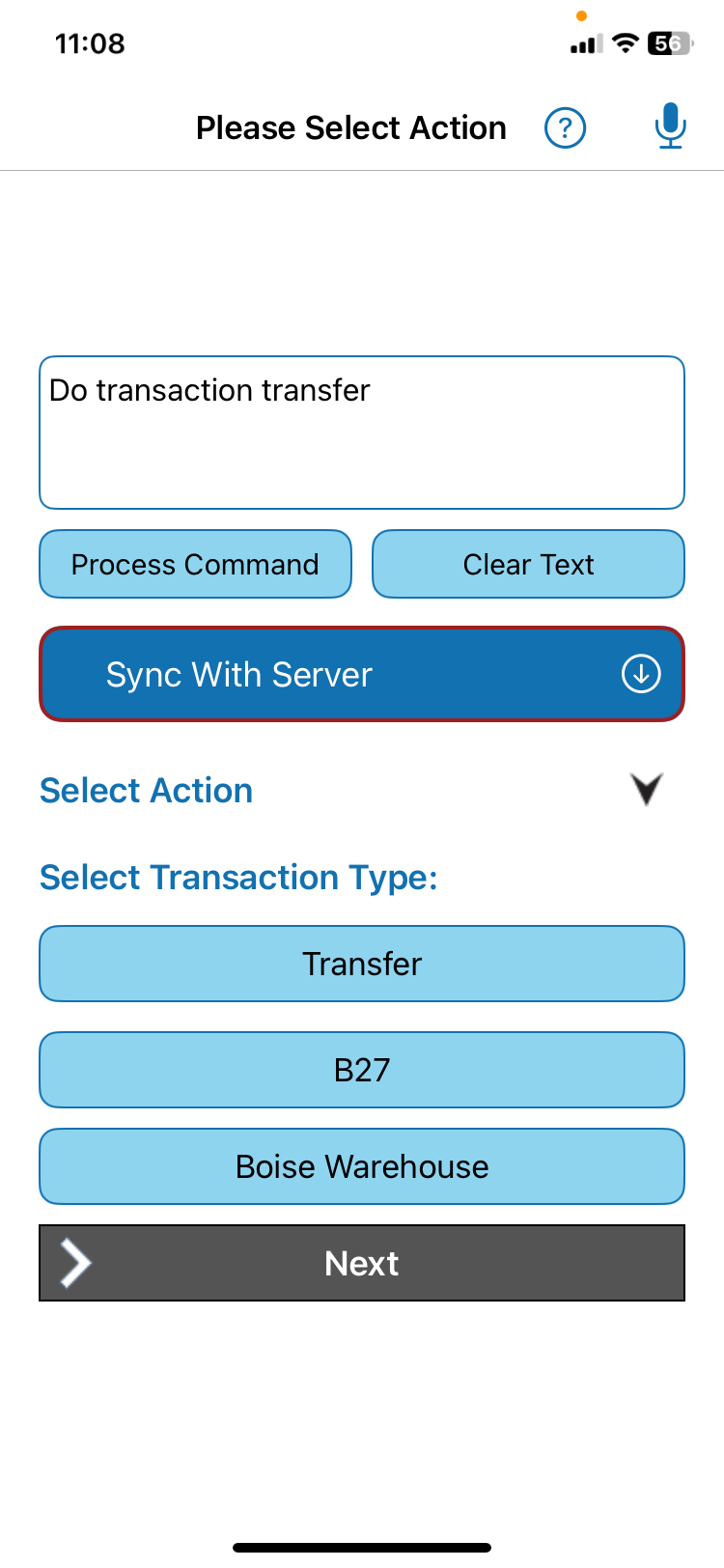
Voice works well for specifying the transaction, selecting locations, and capturing add-on business information. Field employees can record inventory transfers and usage without stopping work, removing work gloves or putting instruments down.
QR Inventory Case Study
Production Implementation of Voice AI for Field Inventory Management - QR Inventory
Natural language information access and voice-guided field updates in a production mobile application.
QR Inventory demonstrates how natural language voice control can be integrated into a production mobile business application without replacing its existing workflows. Field technicians can ask inventory questions, record transactions, and combine spoken instructions with QR code scanning for real-time updates to the cloud inventory system.
QR Inventory is developed by AHG, Inc., the company behind BusinessForward.AI.
Production mobile application
Voice AI built into a production mobile app.
The QR Inventory voice AI mobile application demonstrates how voice recognition and natural language understanding can be used for field information access, hands-free data entry and real-time updates to a backend cloud system.
With the QR Inventory application, field employees can check stock, access item details, and record inventory transactions fast, without interrupting their work - supplementing voice commands with bulk QR code scanning for rapid inventory processing.
- Production Voice Mobile App (Android & iOS)
- On-device AI
- Natural Language Speech Understanding
- Hands-Free Data Entry & Lookup
- Real-Time Cloud Sync
The audio stays local. A structured request moves forward.
Speech recognition and natural language interpretation run on the mobile device. The app converts the spoken request into structured data and sends it to the cloud through the same business logic used by the regular user interface.
- Spoken request The employee asks for information or describes an inventory transaction.
- On-device speech recognition The mobile app converts speech to text without sending the audio to the cloud.
- Natural language understanding On-device AI identifies the employee's intent and the business information provided.
- Structured request The app converts the interpreted request into structured data understood by the existing backend.
- Validation and processing The backend checks the request and processes it using the application's existing business logic.
- Result returned to the app The employee receives the requested information or confirmation of the inventory update.
For a detailed look at request interpretation, clarification and backend processing, see How Natural Language Voice Control Works in Business Applications.
Information lookup
Hands-Free Information Access With A Natural Language Question
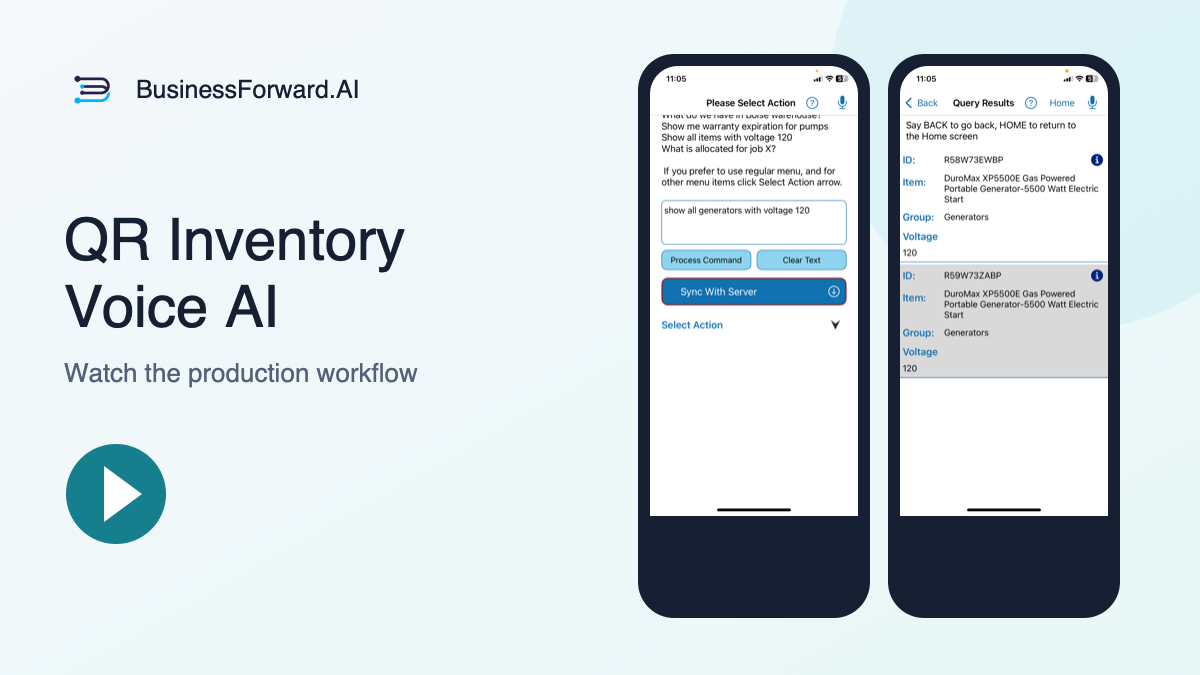
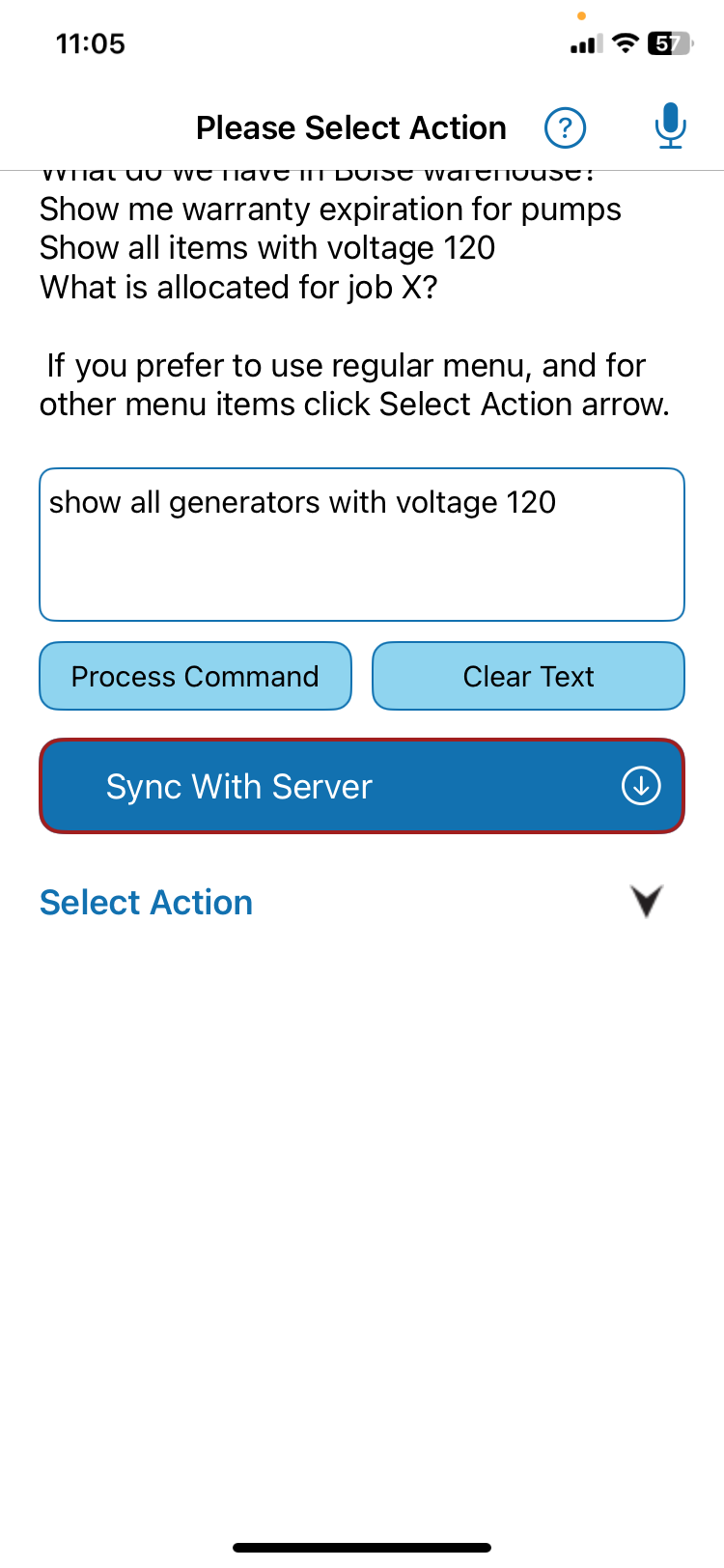
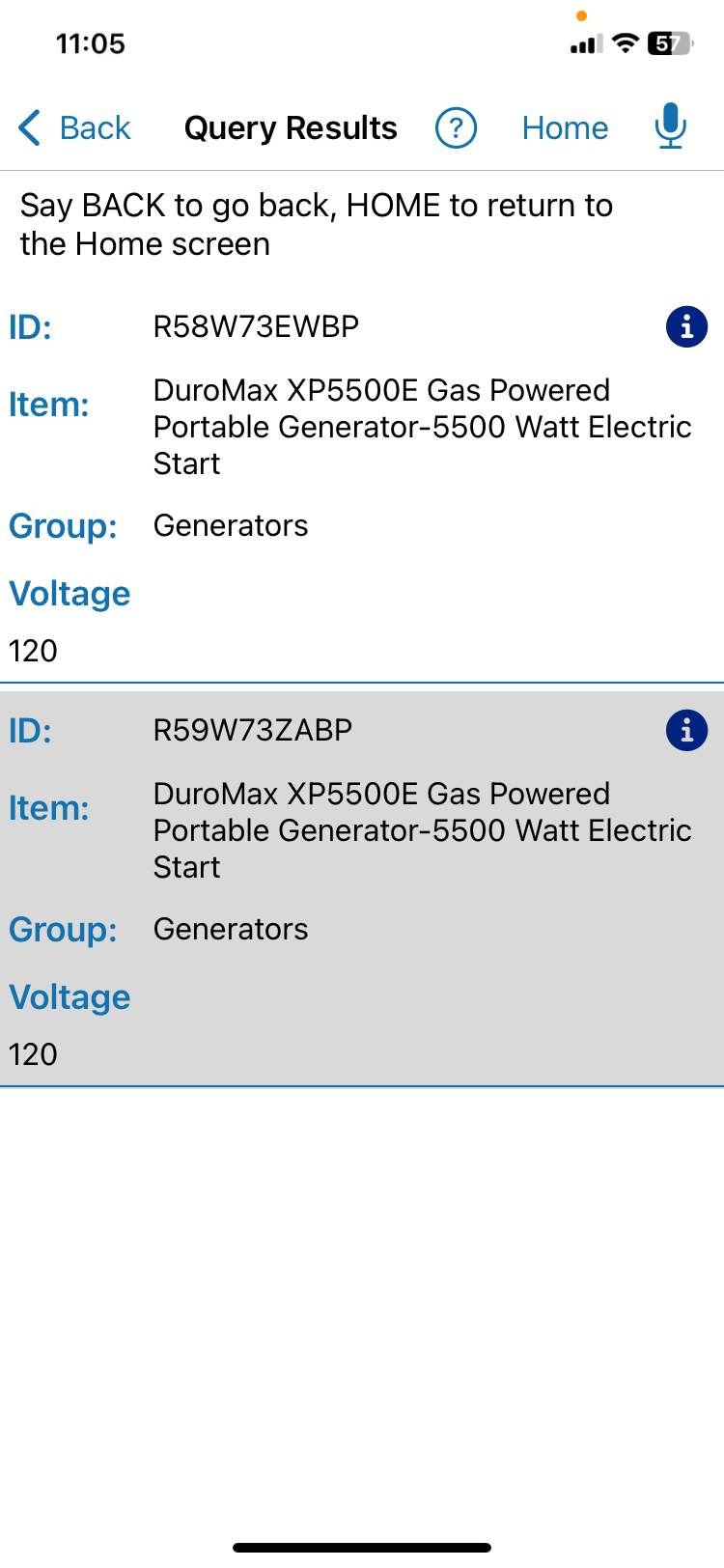
An employee says, "Show all generators with voltage 120."
The QR Inventory mobile app:
- Uses an on-device AI engine to interpret the request and extract structured data
- Constructs a JSON payload and posts a structured API request to the backend cloud software
- Parses the response
- Displays results to the user
The result: The employee asks a question and instantly gets matching records.
QR Inventory Voice Data Access - Video
See how QR Inventory turns a spoken inventory question into a structured request, checks business data, and returns matching records.
Example Voice Commands Shown In This Video
- Show me pumps - natural-language inventory lookup returns matching items grouped by location
- Info on QB-35 - retrieves a specific inventory item by ID with phonetic correction for misheard letters and digits
- What do we have in B27 - lists inventory stored in a warehouse bin, truck, shelf, or job-site location
- Show me all pumps - filters inventory by product category across locations
- Show me pumps with voltage 120 - searches inventory using custom field values
- Show warranty expiration for generators - retrieves asset tracking information from custom inventory fields
Voice-Controlled Inventory Transactions
Hands-Free Voice Inventory Updates In The Centralized Cloud Platform
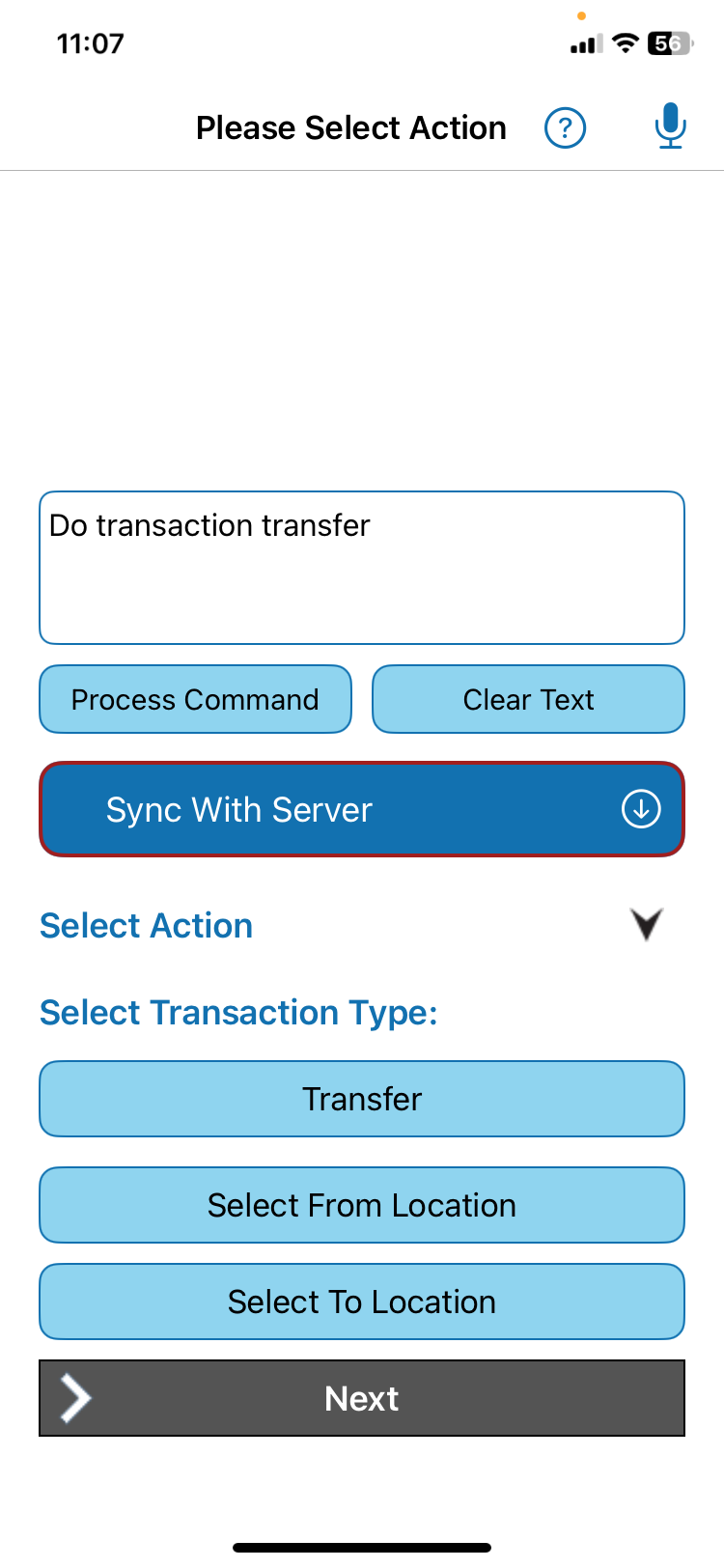
A transaction example: move a power generator from job site B27 to Boise Warehouse.
Voice-Controlled Mobile Workflow
- Choose the routeSet B27 as the source and Boise Warehouse as the destination.
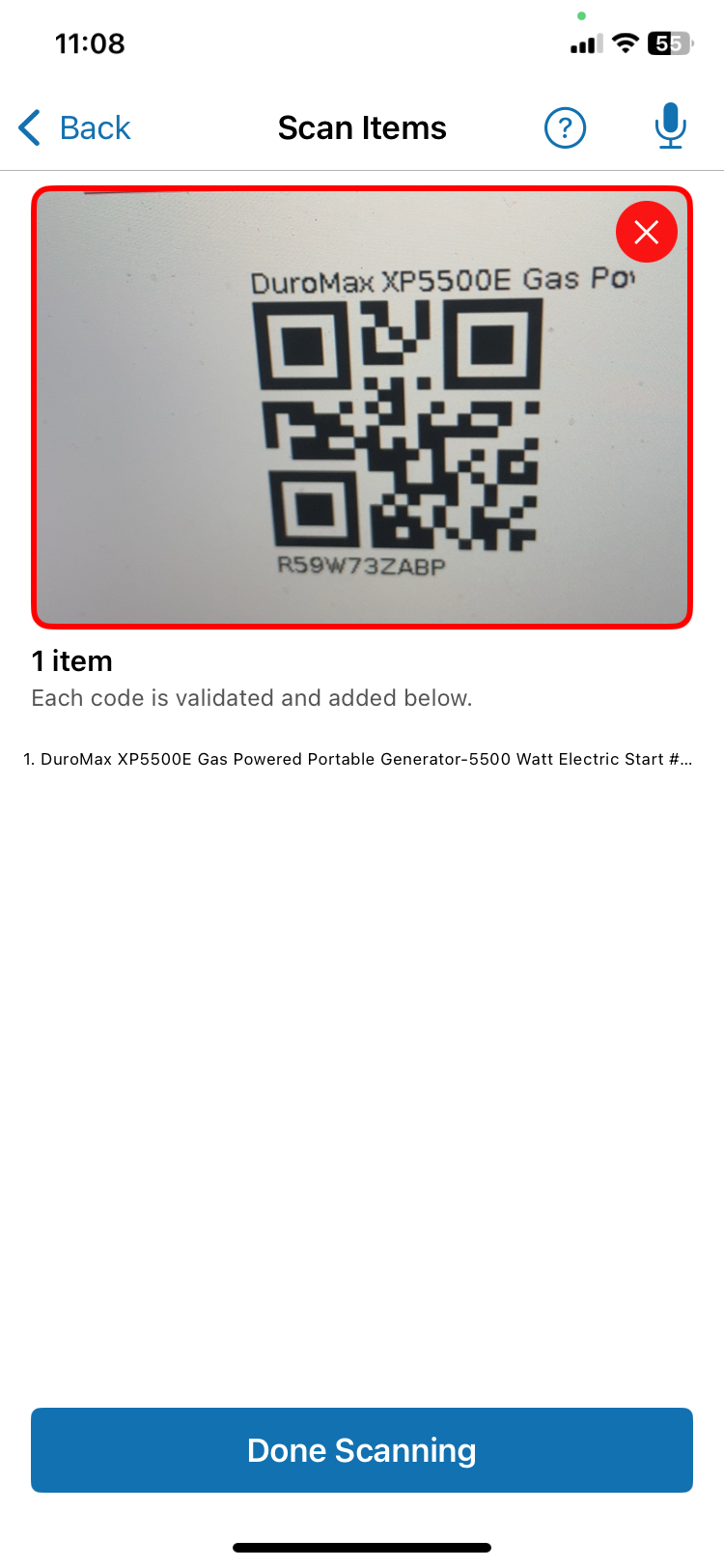
- Scan the generatorScan generator's QR code to quickly identify it.
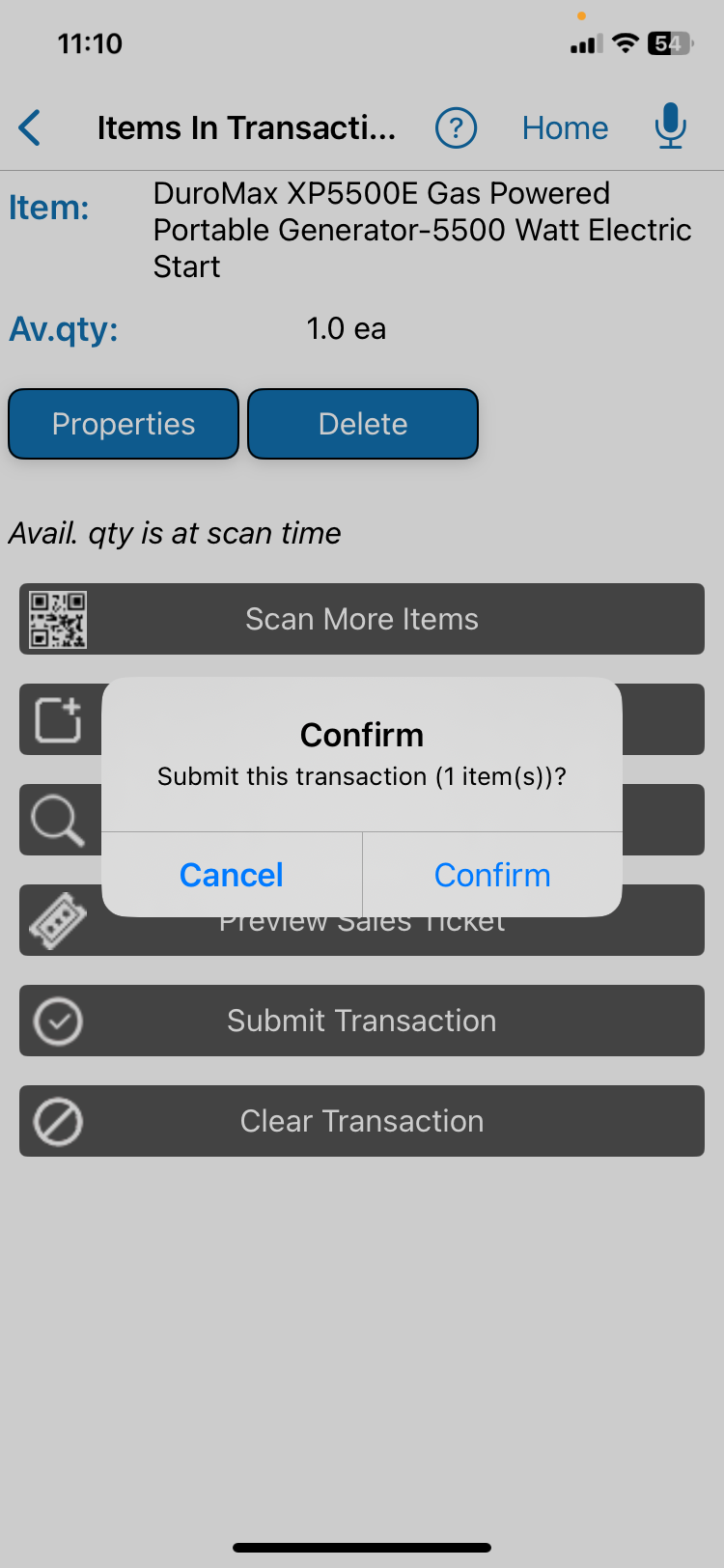
- Review and confirmCheck the item, locations, and transaction details.
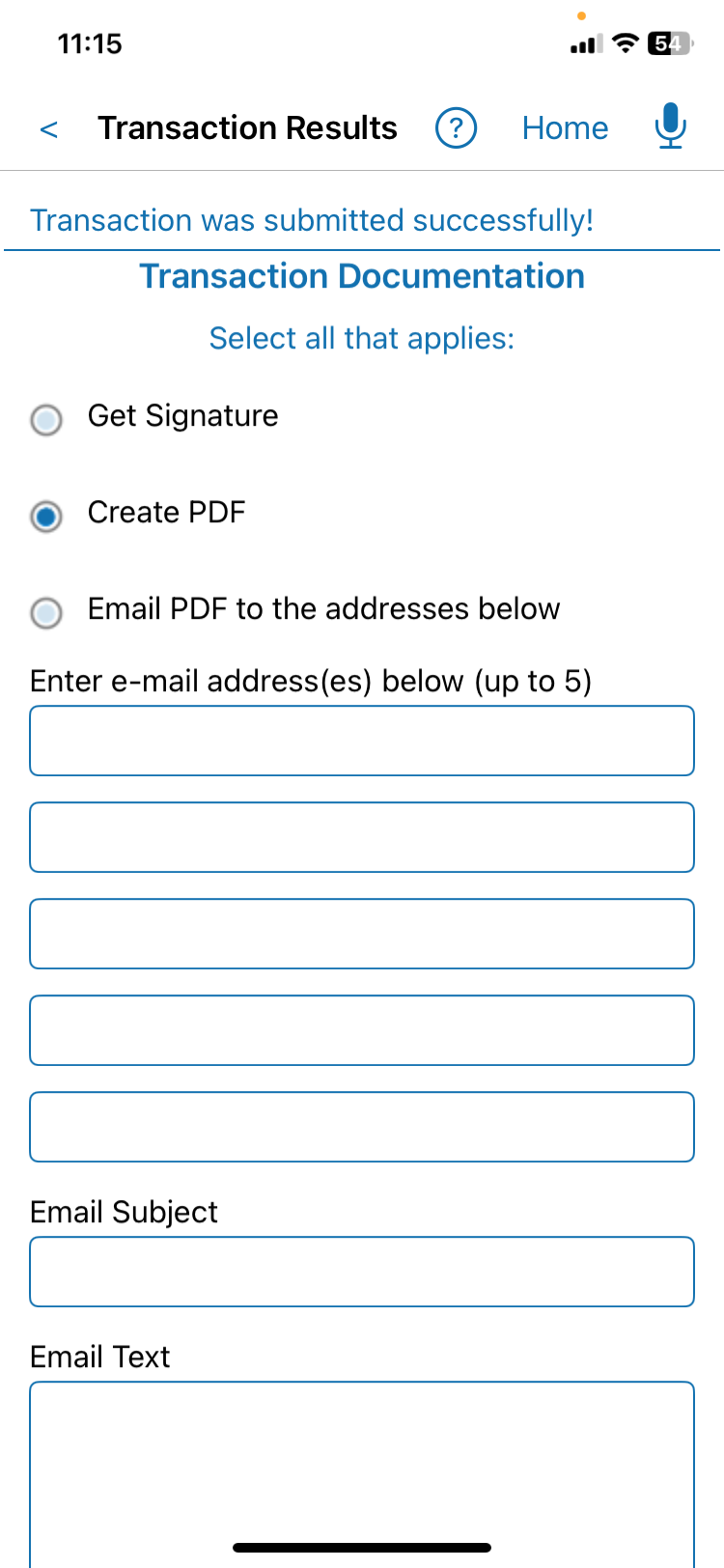
- Submit the transferSend update to the cloud.
The Result: The power generator's location is updated in a centralized cloud system, and the transaction is recorded with the date, time, employee, item, and GPS location.
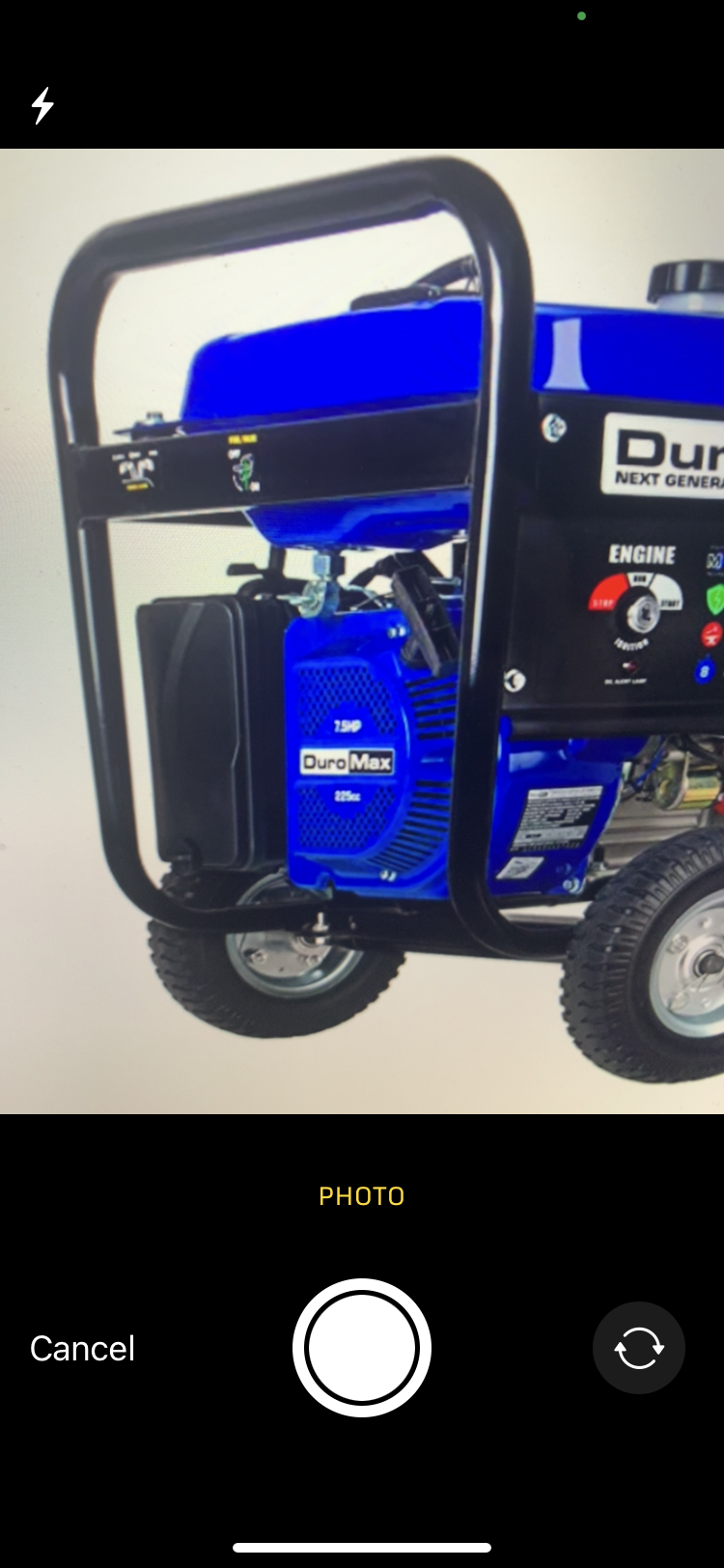
Add Extra Details & Photos To The Transaction
- Start by voice. Ask the app to begin a transfer.
- Review the item. Check the matched generator in the transaction.
- Add a photo if needed. Attach optional supporting evidence before confirmation.
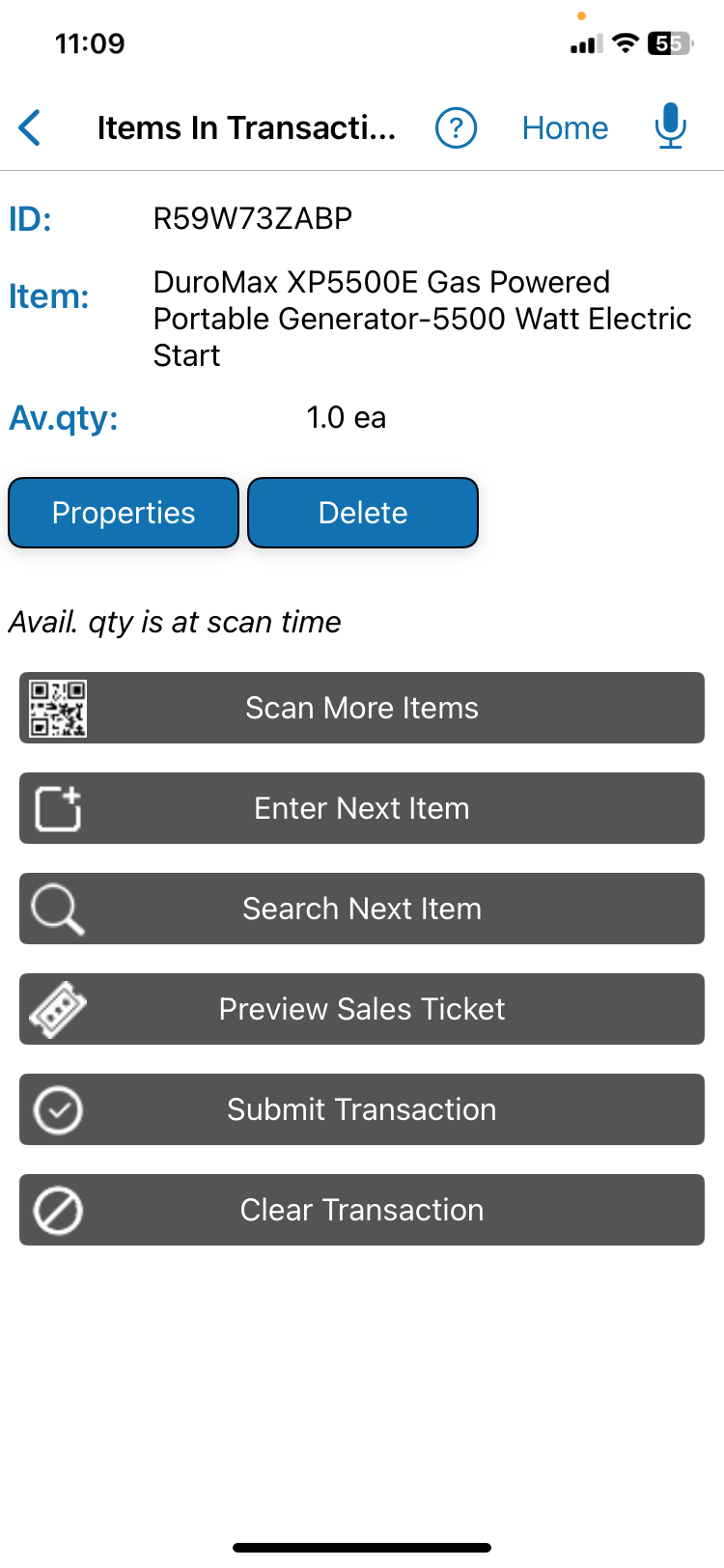
Voice + QR Code Scanning
Combine Voice Control With Bulk QR Code Scanning
Use voice for context. Use QR code scanning for item identification and adding multiple items to the transaction batch fast.
Voice isn't intended to replace scanning. Each input method is used for what it does best.
QR code scanning provides fast, accurate identification of individual inventory items and assets. Bulk scanning allows users to add multiple items to the transaction in seconds in a single smartphone camera session.
QR Inventory combines the two: an employee can define a transaction by voice and then rapidly scan all of the items involved.
The result: Fast, real-time field inventory updates without work interruption.
Inventory Transactions Workflow With Voice & Bulk QR Code Scanning: Video
See how field technicians can quickly receive inventory, transfer stock, record parts usage, and capture additional information just by speaking — fast, hands-free, and without navigating mobile app screens.
This video demo shows a complete inventory transfer workflow in the QR Inventory mobile app that is controlled by voice and uses bulk QR code scanning to add multiple items to the transaction batch.
Inventory Transaction Steps You Will See In This Video
- Transfer transaction - select the inventory transaction type by voice
- Button select from location, B27 - set the source warehouse or bin location
- Button select to location, Boise Warehouse - assign the destination inventory location
- Button next - navigate transaction screens hands-free
- Button scan - open barcode scanning and add multiple inventory items in one session
- Item 2 quantity 3 - adjust inventory quantities using voice commands
- Button submit transaction - confirm with "Yes" and post the inventory transaction
More on voice AI software for field operations
Voice AI For Existing Software
Why Voice AI Was Added to the Existing Software
Voice AI supplements existing software instead of replacing it.
QR Inventory already contained the inventory records, transaction workflows, permissions, business rules and cloud synchronization needed by field teams. Voice AI was added as another way to interact with those existing capabilities rather than creating a separate AI system or replacing proven application workflows.
The same operations remain available through conventional screens, QR code scanning and other established interfaces. Employees can use voice when it is faster or more convenient and switch to another input method when it is better suited for the task at hand.
Conclusions
What the QR Inventory Voice AI Application Demonstrates
The QR Inventory implementation demonstrates several practical ways natural language voice AI can work with existing mobile business software and established field workflows.
- Natural language data access Employees can access business information in the field using regular speech.
- Voice-controlled updates Voice instructions can be converted into structured data that existing business software can process.
- On-device AI Speech recognition and SLM (small language model) for natural language understanding can run on the mobile device.
- Voice + QR Code scanning Voice can be combined with QR code scanning to quickly identify assets and inventory.
- Existing software stays in control AI interprets the request while established application rules validate and execute the operation.
- Business-specific language Employees can use their company's specific business terminology in their requests.
A Pattern for Other Field Business Applications
The natural language voice approach used in the QR Inventory mobile app for field asset and inventory tracking can be applied to other business tasks. Technicians, contractors, warehouse employees and other field personnel can use hands-free voice control for all types of field requests, reports, and updates while performing physical work.
Equipment maintenance, inspections, construction change orders, daily logs, equipment damage reports, field materials ordering can all involve similar workflows: identify what the employee wants to do, capture the required business information, validate it through the existing software, and update the backend cloud system.