
Beyond transcription
What a useful voice command must do
Speech recognition captures words. A business workflow still needs to work out what those words mean and where they belong.
- Capture
- Understand
- Match
- Validate
- Act
First, capture the request and understand the intended task. Then match the project, item, asset, customer, or other record.
Next, validate the details and rules. The final step is to prepare or complete the right business action.
Production example
From spoken request to checked action
QR Inventory shows this process in a production mobile inventory app for field operations. Its voice support runs on iOS and Android phones and tablets.
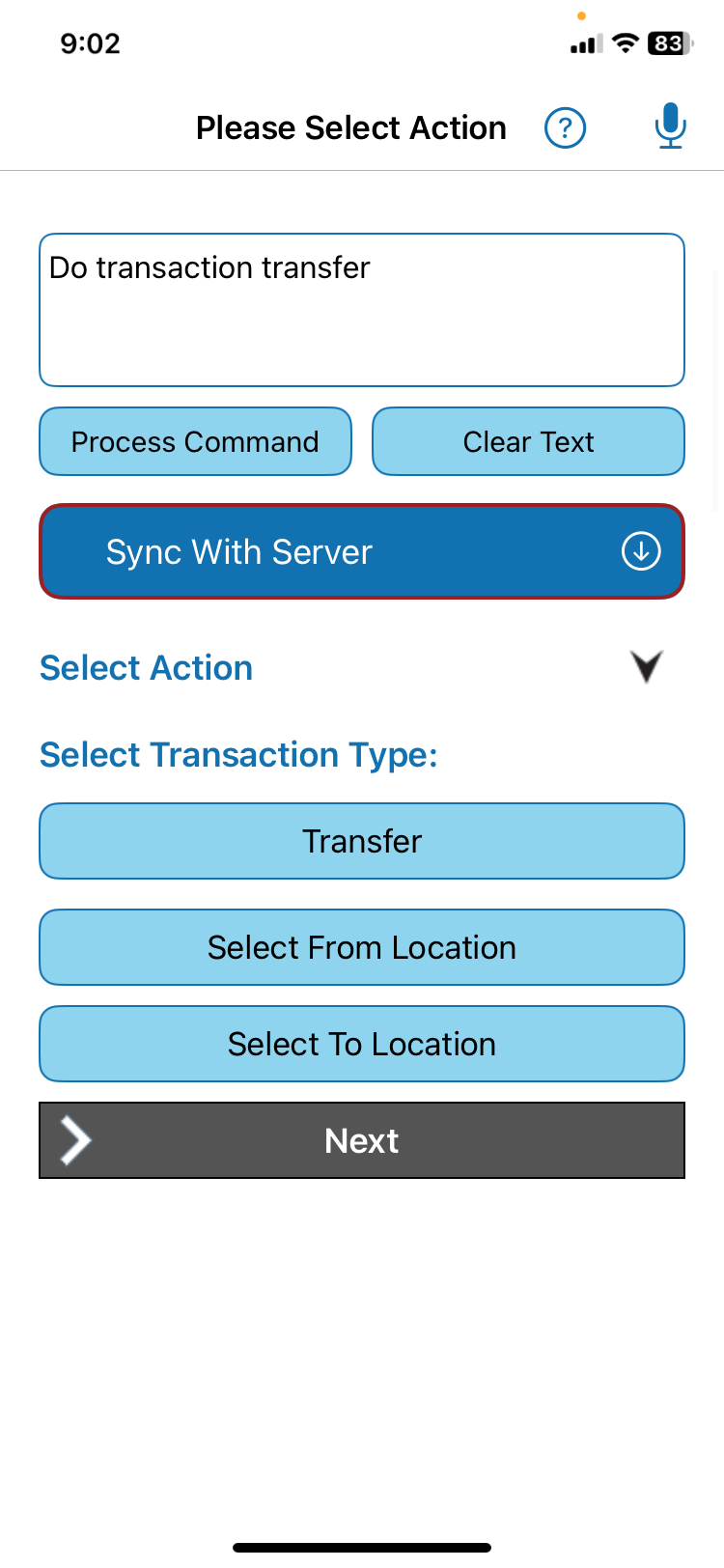
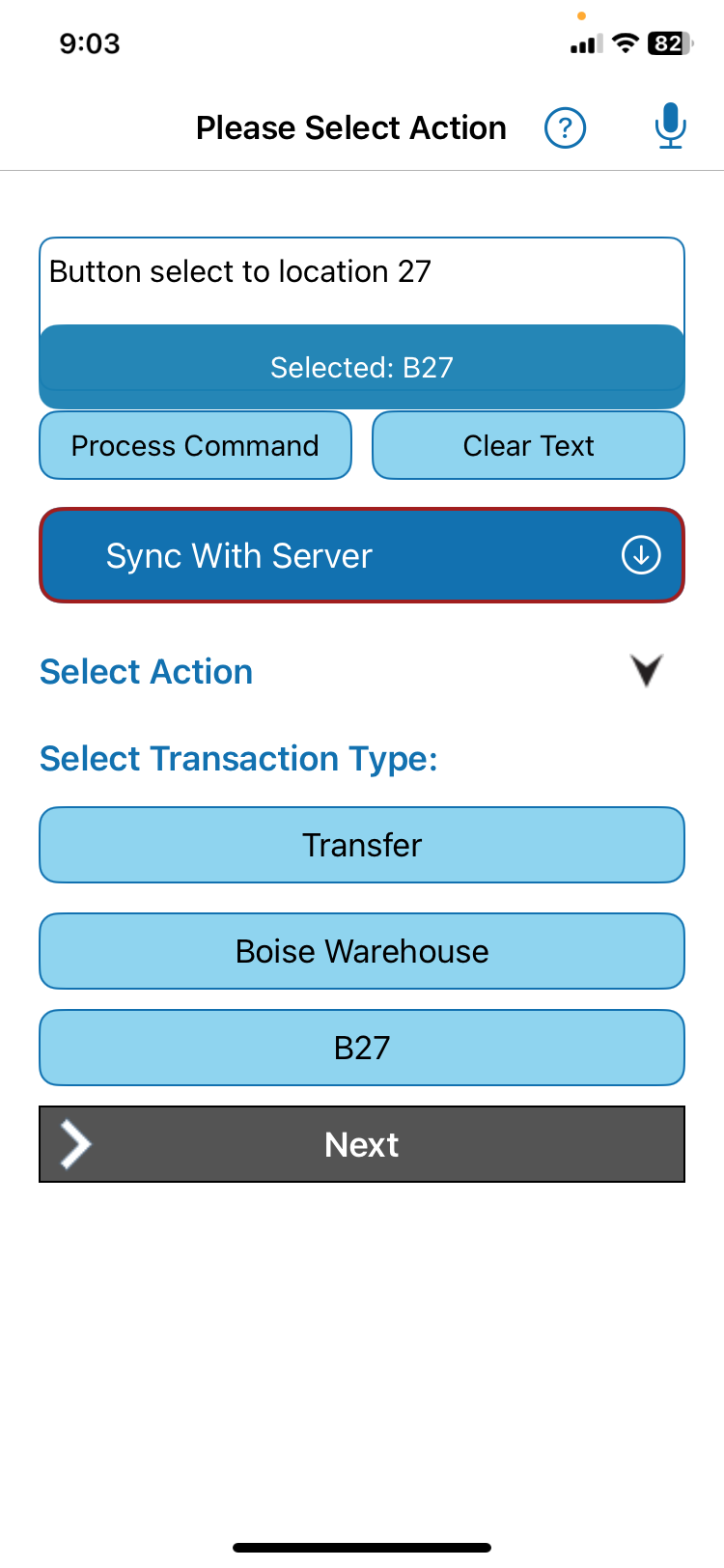
The app turns the spoken request into the same kind of checked database query it builds when someone taps the fields by hand. Voice input goes through every check typed input goes through. A worker can then see the matched transaction details before moving forward.
Choose a narrow task
Where voice helps most
Start with a short mobile step that a worker can state clearly. The spoken request might name a transaction, record, location, quantity, unit, or status.
For example, a transfer request may need a source location and a destination. The workflow must place each answer in the correct field and keep the normal business checks.
Voice commands for mobile business apps should support the task already in the app. They should not create a second, separate process. That is the same shape as voice data entry for existing software: one focused addition, not a rebuild.
Design choices
Privacy, connectivity, and confirmation
Teams should decide where speech is processed, what information may leave the phone, and when a person must review the result. For example, audio can stay on the device when the workflow requires it.
QR Inventory uses that design. Its voice language model and supporting software run on the device, so audio never leaves the device. What can leave the device is different: the finished, checked request — plain data, not sound. The expandable section below shows exactly what travels.
If service is unavailable, QR Inventory queues the structured request until service returns. This is a QR Inventory feature, not a promise for every voice workflow.
Technical detail: how QR Inventory handles a structured request
After the app builds the request, it can send that request to a cloud service. The service turns it into SQL, a common language for asking a database for records or making a controlled change. It checks and runs the request.
Best-fit summary
When a voice workflow is a good fit
A focused voice workflow may fit when the company wants to keep its current app and improve one mobile task. The task should have records and checks that the team can define.
The path is simple to map. It starts with speech, then finds and checks the right record. The result goes to the current app or a linked system.
If the current software already handles the full voice task well, use that feature. If not, what we can build depends on the connection methods the app supports, such as exports, an API (a controlled way for two software systems to exchange information), or database access.
Primary service
Add voice data entry to existing software
See how BusinessForward takes a voice request through review and action.
Explore voice data entry for existing softwareRelated reading
Continue exploring
Voice AI for Existing Software
See how voice fits into the workflows your team already runs.
Voice Data Entry for Existing Software
Turn a spoken field request into a checked business action.
QR Inventory Voice AI Case Study
See the screenshots and request path behind this article's production example.