
Start with a clear record
Know what is available and where it is
A useful field inventory answer begins with current records. The system needs the right item, quantity, and locations before it can answer a request.
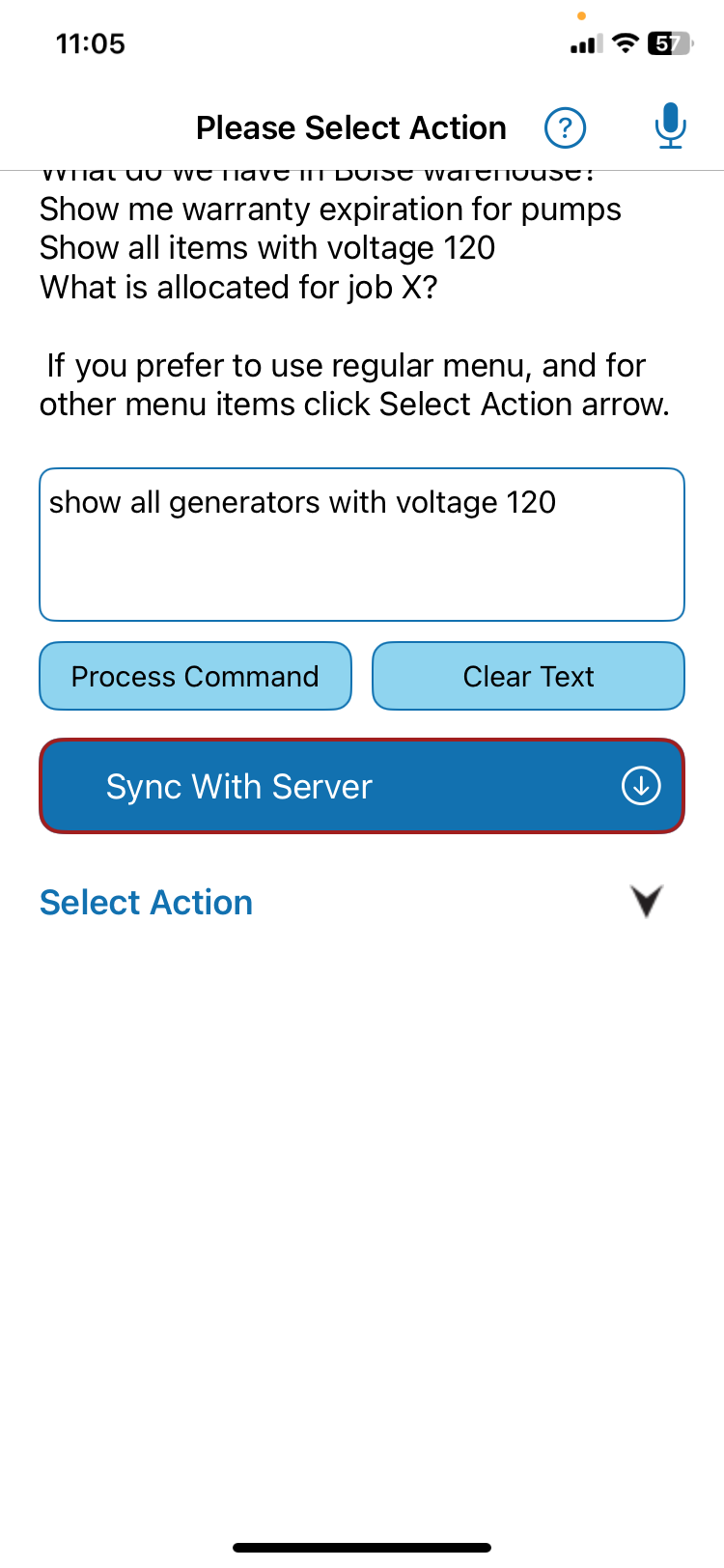
A worker might ask, “Do we have enough of item X for Project Y?” AI can interpret the question, match the item and project, and check stored inventory. It should not invent a result when the records are incomplete.
Keep each system in its role
Connect inventory activity to the job
Field inventory often touches more than one application. Each system may hold a different part of the work.
- QR Inventory
- Inventory, locations, and job costs. It may also hold orders.
- QuickBooks
- Orders and pricing.
- Procore
- Daily Logs (its running project diary). QR Inventory already sends updates there for customers, in real time.
- Asana
- Project tasks and status.
QR Inventory has existing connections to QuickBooks Online, QuickBooks Enterprise, Procore, and Asana.
QR Inventory’s connections to QuickBooks, Procore, and Asana are conventional integrations that have run in production for years. Today the AI does its work inside QR Inventory: it understands the request, finds the records, and prepares the transaction there. Sending AI-prepared updates onward into those other systems is a step we are actively building, and no customer runs it today. We have not put AI inside those connections.
Ask in everyday words
Questions field teams can ask
A focused question can name an item, project, location, or detail. Examples include “Which locations hold item X?” and “Do we have enough of item X for Project Y?”
The workflow should understand the request, match the correct records, check the stored facts, and explain what it found. The answer is only as sound as the data and access behind it. See the full Voice AI for Field Operations approach behind this pattern.
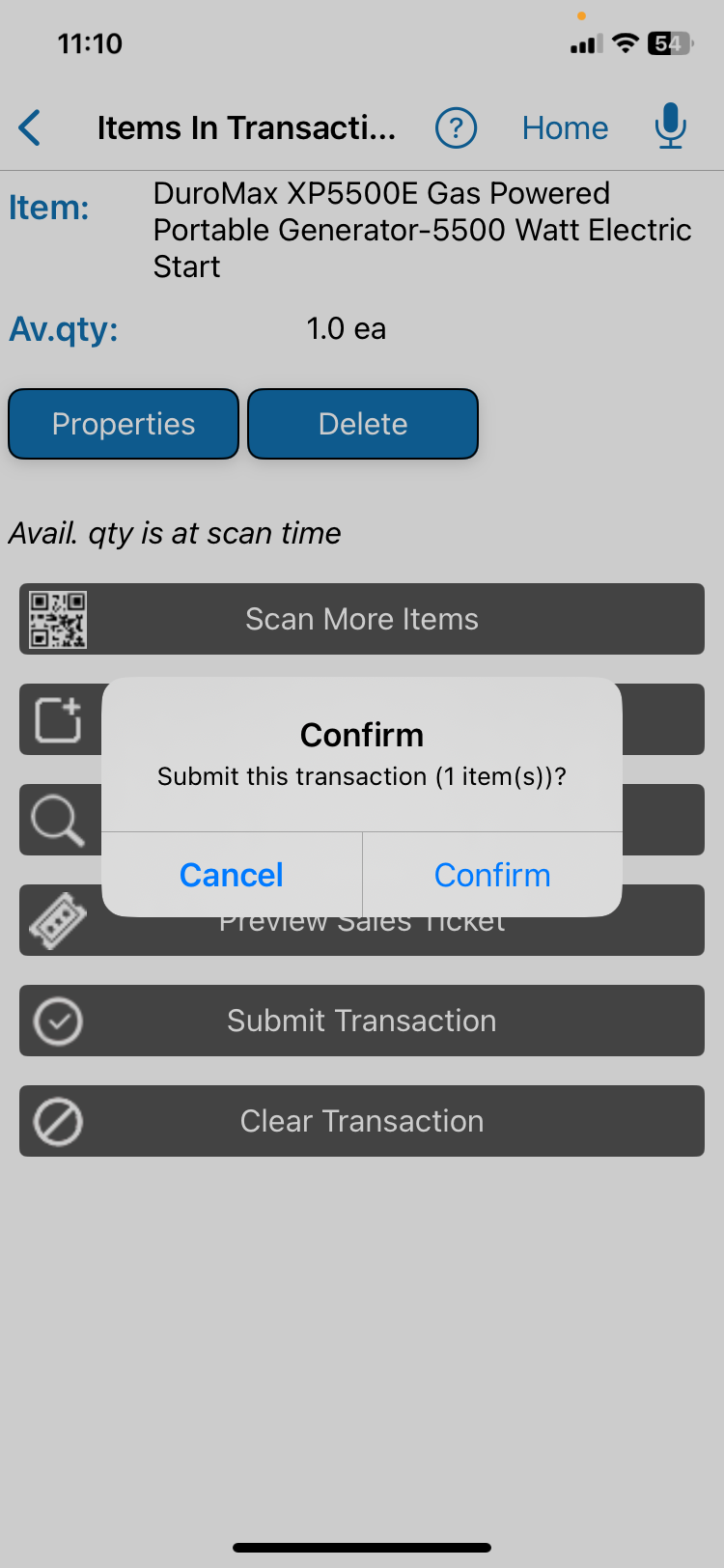
A transaction takes one more step than a question. The worker should see the item, locations, quantity, and action before submission when review is required.
One request, start to finish
From question to transaction: the full path
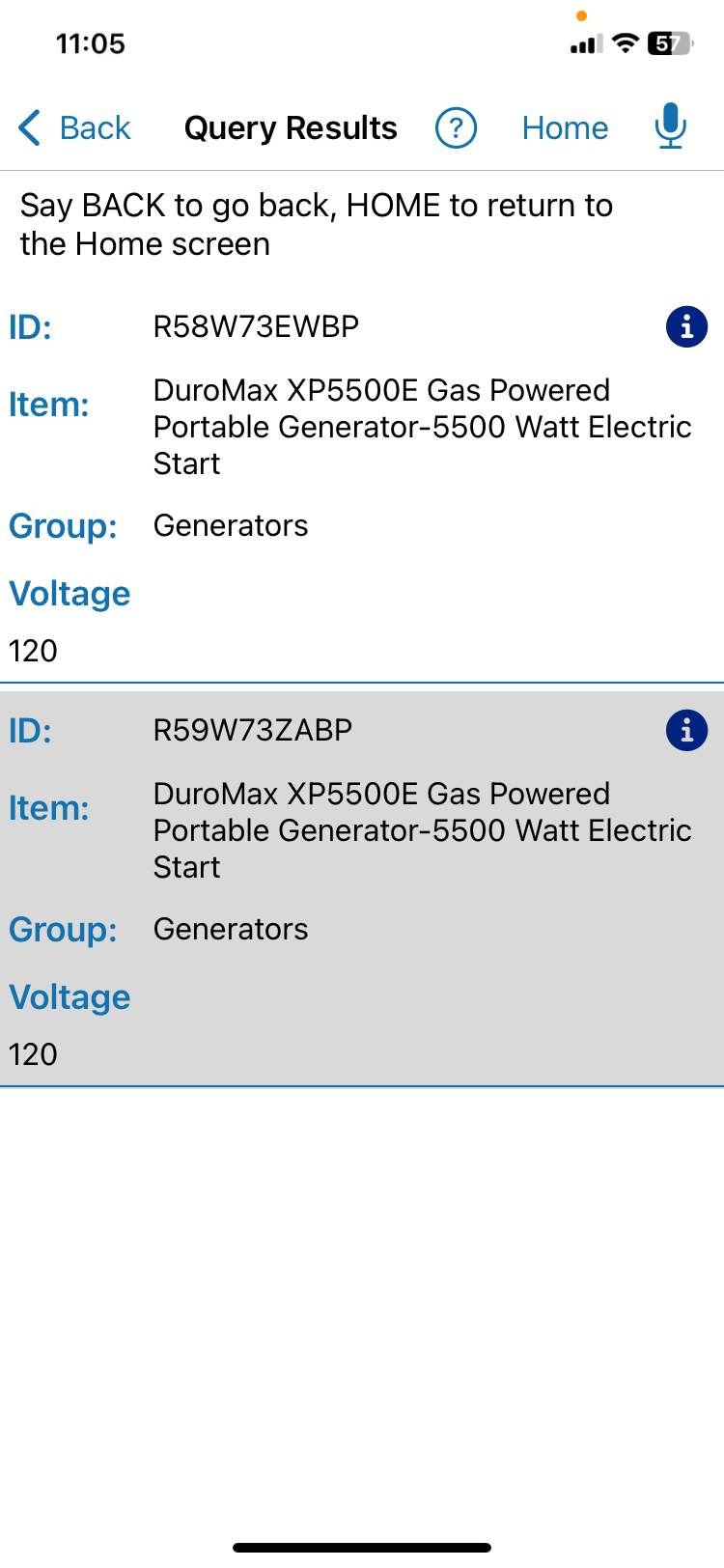
A foreman says, “Do we have four 120-volt generators for the Ridgeline job?” Four things happen between that sentence and a saved record.
The app first takes the request apart: generator is the item, 120 volts narrows it, four is a quantity, Ridgeline is the project. Then it looks those terms up. Generators may sit under several item numbers, and two jobs may carry similar names, so the app matches against the records rather than guessing.
Next it checks the stored facts. How many matching generators are on hand, where do they sit, and is any one of them already assigned? The answer comes back as a count with locations, not a plain yes.
The foreman may stop there. Asking for the generators to be moved turns the question into a transfer, and the app fills the same fields a person would fill by hand: item, quantity, source, destination. The screen shows them for review, the foreman confirms, and the inventory record changes.
Orders, project logs, and task status stay with the systems that already own them.
What runs in production today
What QR Inventory proves in production
Our team added focused AI features to QR Inventory. It is a live mobile inventory app for field work.
Our AI in production is limited to voice requests, matching records, checking inventory, explaining results, and AI-assisted onboarding and user training.
This article explains the workflow. It is not a case study. See the screenshots, request path, and proof limits in the QR Inventory Voice AI case study. For the wider set of patterns this fits into, see where AI fits in field service.
Build only what is missing
When integration needs custom work
Custom work may fit when one stock task is still manual. It may also fit when several systems must work together or company rules control the next step. What we can build depends on the access each system gives us.
If current software already answers the question and completes the task well, use that feature. A custom workflow should fill a clear gap. When the request is about equipment rather than stock counts, see AI asset tracking solutions.
Related service
Connect the workflow to existing software
See how we map records, checks, approvals, and system handoffs around one defined task.
Explore AI Workflow AutomationShort answers
Common questions
What happens when nothing matches the request?
The workflow says what it looked for and stops. A request that matches no record, or matches several just as well, is a question for the worker — not a reason to take the closest row. That one rule prevents most wrong transfers.
Do we have to rename our items first?
Usually not, but you do have to know what the crew calls things. If the yard says light tower and the record says portable mast unit, that pairing has to be written where the workflow can read it. Collecting the names employees use can improve matching without changing the model.
Related reading